AI voice cloning that puts your voice on any script or clip
Upload a short sample of your voice, then type what it should say or add a clip you want to change. The AI gives it back in your voice, keeping a clip's timing, pauses and emotion, ready for your next video.
How to clone your voice in four steps
- Step 1
Upload a voice sample
Open Change Voice in the AI audio editor and add a recording of your own voice, up to 5 minutes long. A quiet room and your natural pace matter more than a studio.
- Step 2
Type your text or add a clip
Type what your voice should say, or drop in the audio or video you want re-voiced: MP4, MOV, WebM, MP3, WAV or M4A, up to 5 minutes.
- Step 3
Generate your clone
Press Generate. The AI reads your text in your voice, or re-voices your clip and keeps its pacing, pauses and emotion.
- Step 4
Put it in a video
Download the result and add it to your project in the Renderforest video editor, next to your footage, subtitles and music.
Why clone your voice with Renderforest
Voice cloning that reads your scripts and keeps a real performance, next to the tools that turn it into a finished video.
A short sample is enough
A few minutes of your natural speech gives the AI your pitch, tone and accent. No studio session and no training script to read.
The performance stays
Re-voice a clip and the cloning is speech to speech: every pause, emphasis and emotion in the original stays where it was. Only the voice changes.
Text, audio or video in
Type a script, or re-voice MP4, MOV, WebM, MP3, WAV or M4A clips up to 5 minutes and 500 MB: a screen recording, a draft read or a quick take on your phone.
Preset voices when you need them
Not using your own voice today? The same editor has 120+ preset AI voices, for typed scripts and clips alike.
A clone next to a video editor
The AI audio editor sits inside Renderforest with the video editor, templates and AI video tools, so your cloned voice goes straight into a finished video.
Credits you can plan around
Sign up free with no credit card. Paid plans include monthly voice credits, and each clip is billed by its length in seconds.
Who uses AI voice cloning
One voice, kept consistent across everything you publish, whoever recorded the first take.
YouTubers & faceless channels
Keep one recognisable voice on every upload. Type the script or record a rough take anywhere, then give it your clean cloned voice.
Founders & personal brands
Product updates, recaps and onboarding videos in your own voice, typed or recorded, even on the weeks a teammate drafts them.
Course creators & e-learning
Redo a lesson segment on any mic and re-voice it, so it matches the rest of the course recorded months ago.
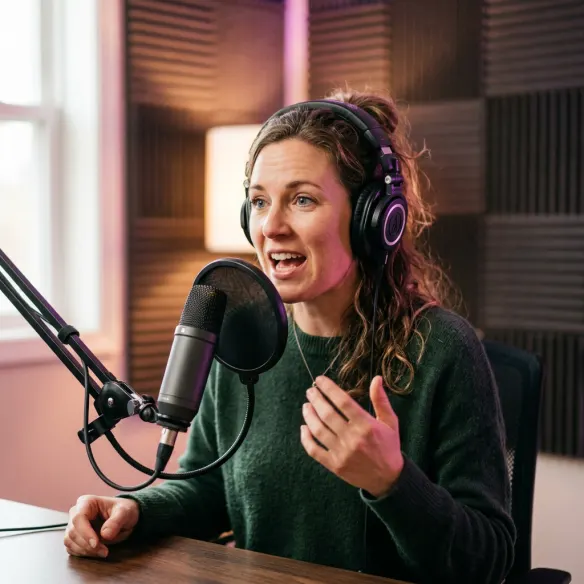
Podcasters & storytellers
Patch a line, voice a sponsor read or narrate a social clip in your host voice without reopening the studio.

Marketing teams
Keep one brand voice across ads, explainers and social cuts, with the permission of the person whose voice it is.
AI voice cloning, explained
What is AI voice cloning?
AI voice cloning creates a digital copy of a real person's voice from an audio sample. A neural network learns the speaker's pitch, tone, accent and rhythm, then produces new speech that sounds like them. In Renderforest the clone works two ways: type a script and it reads it in your voice (text to speech), or give it a clip and it keeps that clip's performance while replacing the voice with yours (speech to speech).
How much audio do you need to clone a voice?
Less than most people expect. Renderforest accepts a voice sample of up to 5 minutes, and a clean recording matters more than a long one. Record in a quiet room, keep the same distance from the mic, and speak the way you actually talk, because the AI learns your delivery as well as your sound.
Is AI voice cloning legal?
Cloning your own voice, or a voice you have explicit permission to use, is legal in most countries. Cloning someone without consent can break right-of-publicity, fraud and impersonation laws, and proposed rules such as the US NO FAKES Act would make consent a formal requirement. Laws differ by country, so check local rules before commercial use.
How to make your voice clone sound natural
Record the sample in a soft, quiet room. Read varied material, with questions, short sentences and a laugh, so the AI hears your range. Keep your energy natural, because a flat sample makes a flat clone. For a typed script, write the way you speak and punctuate the pauses. For a clip you re-voice, a clear take with the pacing you want gives the best result, since the clone follows it exactly.
Extremely easy to use. The text to voice is exceptional, with great studio-like quality.
Amazing Platform. Have used Renderforest for almost 5 years. Easy to customise ready made templates. Probably the best voice over option. Loads of music to choose from.
I don't come from a video production background, but the platform allows me to turn my scripts into clear, professional videos without any hassle.
With the AI tools they added, you can create a professional commercial for your business or brand just by typing a script.
AI voice cloning FAQ
What is AI voice cloning?

AI voice cloning creates a digital replica of a specific person's voice from an audio sample. Machine learning analyses how the person speaks, including pitch, pacing and accent, and reproduces that voice on new audio. It is used for video narration, podcasts and course content, and should only be done with the speaker's consent.
How do I clone my voice with Renderforest?
Open the AI audio editor, choose Change Voice, and upload a sample of your voice under Upload your voice. Then either type the text you want it to say or add the clip you want to change, and press Generate. The result is in your voice, a re-voiced clip keeps its original delivery, and you can download it or use it in a video project.
Is AI voice cloning legal?
Yes, when you clone your own voice or have explicit permission from the speaker. Using someone's voice without consent can break impersonation and right-of-publicity laws. Rules vary by country, so check local law before using a cloned voice commercially.
Can I clone someone else's voice?
Only with that person's explicit permission. Cloning a voice without consent can be illegal and harms the person it belongs to. For characters or brand personas that aren't a real person, use one of the preset AI voices instead.
Is there a free AI voice cloning tool?
Creating a Renderforest account is free and needs no credit card, and the AI audio editor is available right after sign-up. Voice cloning runs on voice credits billed by the second of audio, and paid plans include a monthly allowance.
How long can my voice sample and clip be?
Both can be up to 5 minutes long. A voice sample can be up to 100 MB, and the clip you re-voice up to 500 MB, in MP4, MOV, WebM, MP3, WAV or M4A format.
Why does my voice clone sound robotic, and how do I fix it?
Usually the sample is the cause. Re-record in a quieter room, closer to the mic, with natural energy. For a typed script, add punctuation where you'd pause. If you are re-voicing a clip, check that too: the clone follows its pacing and emotion, so a clear, lively take gives a more natural result.
Does the clone keep my original delivery?
Yes, when you re-voice a clip. Renderforest clones speech to speech there, so the timing, pauses, emphasis and emotion of the clip you upload stay as they are and only the voice is replaced. A typed script is read fresh in your voice, so its delivery comes from your words and punctuation.
Can I type a script and have my clone read it?
Yes. Upload your voice sample, type your text in the same Change Voice tab and press Generate: the AI reads the script in your cloned voice (text to speech). You can also re-voice an existing clip instead, and the Voiceover tab still offers 120+ preset AI voices if you don't need to sound like yourself.
What's the difference between a voice clone and a preset AI voice?
A clone reproduces one real person's voice, such as yours. Presets are ready-made synthetic voices anyone can use for any project. If you don't need to sound like yourself, a preset voice in the AI audio editor is the faster path, and both live in the same workspace.
Your voice has more videos in it than your calendar allows
Clone it once and let it read your scripts or re-voice the clips you haven't had time to redo, next to everything you need to finish the video.
Clone my voice- Free to start
- No credit card required
- Clips up to 5 minutes